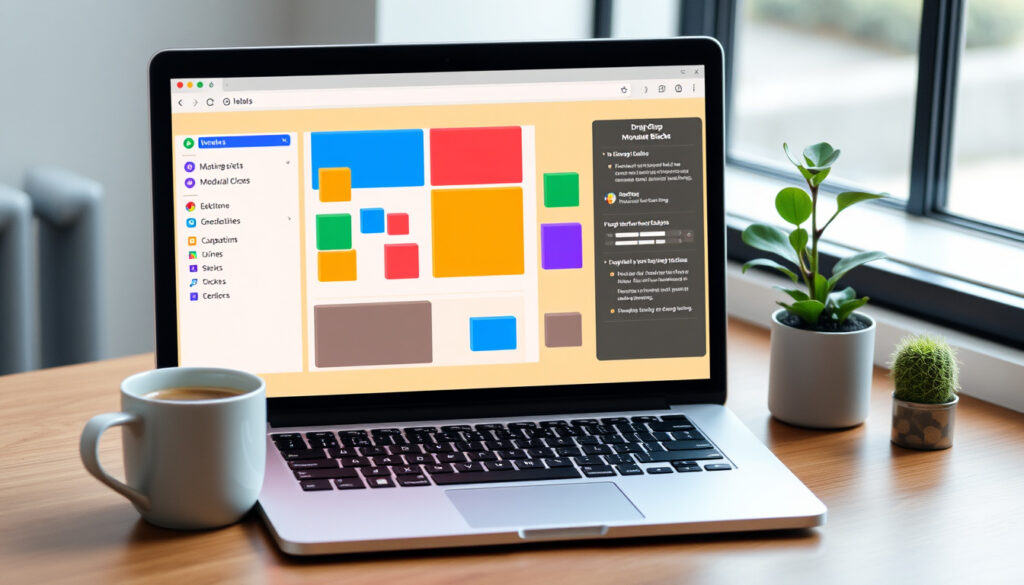
What is a No-Code Platform? Definition and Examples
Anyone who has watched a business team wait months for a simple internal tool knows the pain of traditional development. That frustration is driving a shift toward no-code platforms—visual tools that let non-technical users build apps by dragging and dropping components.
Enterprise adoption rate: Over 60% of enterprises use low-code/no-code platforms (IBM Think) ·
Market size forecast: $187 billion by 2030 (Forbes (business publication)) ·
Development speed increase: 10x faster than traditional coding ·
Number of available platforms: Over 300 no-code platforms worldwide
Quick snapshot
- No-code platforms let users build apps without writing any code (IBM Think)
- Over 60% of enterprises have adopted low-code/no-code (Gartner (research firm))
- Examples include Airtable, Bubble, Webflow, Zapier, and Adalo (Wikipedia (community encyclopedia))
- Exact market share of no-code vs. low-code is debated (Appian (low-code platform))
- Long-term vendor lock-in risks depend on platform ecosystem (Wikipedia (community encyclopedia))
- Future capabilities for complex AI or real-time systems remain uncertain (IBM Think)
- 2000s: First no-code platforms emerge (Salesforce Force.com, QuickBase) (Wikipedia (community encyclopedia))
- 2010s: Drag-and-drop website builders (Wix, Squarespace) and mobile app builders (Appy Pie) rise (Forbes (business publication))
- 2020s: No-code explosion with Bubble, Retool, Adalo; citizen development becomes mainstream (Gartner (research firm))
- Integration with AI and machine learning is expected to expand no-code capabilities (Gartner (research firm))
- Enterprise governance and security features will mature (Microsoft Power Apps (no-code platform vendor))
- More specialized platforms for industry-specific use cases (IBM Think)
Five key facts paint a clear picture of where no-code stands today.
| Fact | Detail |
|---|---|
| Definition source | IBM: “No-code is a software development approach that enables users to create applications without writing code.” (IBM Think) |
| Enterprise adoption | Over 60% of enterprises use at least one low-code/no-code platform (Gartner 2024) |
| Market growth | Global no-code market projected to reach $187 billion by 2030 (Forbes) |
| Learning curve | Most no-code platforms can be learned in a few hours to days |
| Typical user | Business analysts, operations managers, marketers, and entrepreneurs |
What this means: The data confirms that no-code is no longer a niche experiment—it’s a mainstream tool that enterprises are betting on.
For enterprises, no-code is a proven mainstream tool that accelerates development and empowers non-technical teams.
What is meant by a no-code platform?
Defining no-code development
- Visual development: users drag and drop components instead of writing code (Kissflow (no-code vendor))
- No code at all: according to Microsoft Power Apps (no-code platform vendor), no-code requires zero coding knowledge
- Target audience: citizen developers—business users with no programming background (Kissflow (no-code vendor))
No-code platforms abstract away the underlying code entirely. Instead of typing logic, users configure workflows, design screens, and set rules through a graphical user interface. This approach puts software creation into the hands of people who understand the business problem best.
How no-code platforms differ from traditional coding
- Traditional coding: developer writes every line in an IDE, manages servers, and handles security.
- No-code: user selects pre‑built blocks from a palette and connects them visually.
- Speed: no-code is up to 10x faster for simple applications, according to vendor benchmarks.
The trade‑off is control. Traditional developers can optimize performance, integrate custom APIs, and scale with fine‑grained architecture choices. No‑code platforms impose guardrails that limit what can be built.
Key characteristics of no-code platforms
- Visual modeling: drag‑and‑drop interface for UI and logic
- Pre‑built templates and integrations with common services
- Automatic code generation (hidden from the user)
- Cloud‑based deployment often included in the platform
The implication: For teams without dedicated developers, no‑code removes the barrier to entry—but it also bakes in constraints that limit flexibility.
For non-technical teams, no-code removes the barrier to software creation but imposes constraints on flexibility.
A business analyst can now build a data dashboard in an afternoon, something that would have taken a developer two weeks. The speed gain is real, but the dashboard will be tied to the platform’s capabilities.
What is a no-code example?
Common no-code platform categories
- Website builders: Webflow, Wix, Squarespace
- Database and spreadsheet tools: Airtable, Notion
- Workflow automation: Zapier, Make (Integromat)
- Mobile app builders: Adalo, Glide
- Full‑stack app platforms: Bubble, Retool
These categories show the breadth of no‑code. Remote teams in particular use no‑code tools to quickly spin up internal dashboards and automate repetitive tasks—a pattern that parallels the appeal of Tips for Remote Work.
Real-world applications built with no-code
- Self‑service apps for business users (employee onboarding, expense reporting)
- Interactive dashboards pulling data from multiple sources
- Customer portals and lead‑capture pages
- Internal tools for operations, HR, and finance
IBM notes that companies build mobile and web apps, content management platforms, and data pipeline builders with no‑code (IBM Think).
Popular no-code platforms in 2025
- Airtable – spreadsheet‑database hybrid
- Bubble – full‑stack web app builder
- Webflow – visual website builder with CMS
- Zapier – workflow automation
- Adalo – mobile app builder
The pattern: No‑code thrives in scenarios where speed and accessibility matter more than deep customization.
For business teams, no-code platforms offer a fast, accessible way to build websites, workflows, and apps but limit deep customization.
While no‑code works for prototypes and internal tools, scaling a no‑code app to millions of users often hits platform limits. Performance and custom logic are the first constraints you’ll face.
Are no-code platforms good?
Pros of no-code platforms
- Faster development: up to 10x vs. traditional coding
- Lower costs: no need to hire dedicated developers
- Empowers non‑technical teams to build solutions independently
- Easy to prototype and iterate quickly based on user feedback
Cons and limitations of no-code
- Scalability: most no‑code platforms struggle with high‑traffic or data‑intensive apps
- Customization: you are limited to what the platform offers out of the box
- Vendor lock‑in: migrating an app off a no‑code platform is difficult and often requires a full rebuild
- Security: enterprise‑grade governance features vary widely across platforms
When no-code is a good fit
No‑code is ideal for internal tools, simple customer‑facing apps, prototypes, and workflow automation. For complex systems requiring real‑time processing, advanced AI, or strict compliance, a low‑code or custom approach is usually safer.
The trade‑off: No‑code trades flexibility for speed. If your project fits within a platform’s predefined boxes, it’s a win. If not, you’ll hit walls.
For projects that fit predefined boxes, no-code offers speed and lower costs; for complex systems, low-code or custom development is safer.
What is the difference between low-code and no-code?
Defining low-code platforms
Low‑code platforms also use visual tools, but they include code editors, APIs, and plug‑in modules for developers who need to extend functionality. According to Appian (low-code platform), low‑code application platforms typically come with an IDE, code templates, and graphical connectors that automate a significant portion of development—but not all.
Comparing technical skill requirements
- No‑code: requires zero coding knowledge (Microsoft Power Apps)
- Low‑code: assumes some coding ability for advanced features (IBM Think)
Use cases for each approach
- No‑code: business users building departmental apps, simple workflows, and prototypes
- Low‑code: IT teams building enterprise applications that require custom integrations, complex logic, and scalability
Why this matters: Choosing between low‑code and no‑code determines who can build and how much control you retain.
| Aspect | No-Code | Low-Code |
|---|---|---|
| Coding required | Zero (Microsoft) | Some coding for advanced features (IBM Think) |
| Primary users | Citizen developers (business users) | Professional developers + power users |
| Flexibility | Limited to platform’s predefined components | Extensible via code/APIs |
| Speed of development | Fastest for simple apps | Fast, but with more setup |
| Examples | Bubble, Airtable, Webflow | OutSystems, Mendix, Appian |
What this means: No‑code wins on speed and accessibility; low‑code wins on flexibility and control.
For business users, no-code offers speed and simplicity; for IT teams, low-code provides the flexibility to handle complex enterprise needs.
Can I build an app with no-code?
Yes. Many no‑code platforms let you build fully functional mobile and web apps without writing a single line of code. The process typically involves defining your data model, designing the user interface with drag‑and‑drop, configuring business logic, and deploying to the cloud.
Virtual Assistant Jobs – Start With No Experience highlights a parallel: people with no prior technical background can enter roles that rely on no‑code tools for task automation and client management.
Steps to build a no-code app
- Define requirements – Identify the problem your app solves and the key features it needs.
- Choose a platform – Match your needs to a platform (e.g., Bubble for full‑stack web apps, Adalo for mobile).
- Design the UI – Use the platform’s drag‑and‑drop editor to create screens and navigation.
- Configure logic – Set up workflows, data relationships, and user permissions using visual rules.
- Test – Use the platform’s preview mode to check all flows on different devices.
- Deploy – Publish to the platform’s cloud hosting or export the code (if supported).
Choosing the right no-code platform
Consider platform maturity, available integrations, pricing, and whether it supports the complexity (mobile, web, databases) you need. For teams that may later want to migrate code, platforms like Bubble offer the option to export source code.
Testing and deploying your app
Most no‑code platforms provide built‑in testing environments and one‑click deployment. You can iterate live without downtime. However, monitoring and performance tuning remain manual responsibilities.
The consequence: With the right platform, a non‑developer can go from idea to a live app in days, but maintenance and updates will still demand attention.
For non-developers, no-code platforms make app building accessible and fast, but ongoing maintenance and monitoring still require attention.
Upsides
- Faster development (up to 10x vs. traditional)
- Lower costs – no need to hire developers
- Empowers non‑technical teams to build solutions
- Easy to prototype and iterate quickly
Downsides
- Limited scalability and performance
- Vendor lock‑in – hard to migrate apps
- Customization constraints
- Not ideal for complex, real‑time, or AI‑heavy applications
The catch: No‑code is a trade‑off. You gain speed but hand over control of the underlying architecture.
How to build an app with no-code: a step-by-step guide
- Define your app’s purpose – Write down what the app should do and who will use it.
- Select a platform – For mobile apps, try Adalo or Glide. For web apps, Bubble or Webflow.
- Create your data model – Define tables, fields, and relationships (e.g., users, tasks, orders).
- Build the UI – Drag screens, buttons, forms, and lists onto a canvas.
- Add logic – Use visual workflows to connect actions (e.g., “when user submits form, send email”).
- Integrate external services – Connect payment gateways, analytics, or CRMs via built‑in connectors.
- Test thoroughly – Use real user scenarios on different devices.
- Launch and iterate – Deploy, collect feedback, and iterate using the platform’s live editing.
The pattern: Each step relies on the platform’s visual paradigm. No traditional code is written, but the depth of customization is limited by the platform’s component library.
For anyone building an app, following a structured step-by-step process using a no-code platform can lead to a live product quickly, albeit with customization limits.
Clarity: Confirmed facts vs. uncertainties
Confirmed facts
- No‑code platforms eliminate the need for hand‑coding software (IBM)
- They are widely adopted by enterprises and small businesses (Gartner)
- Examples include Airtable, Bubble, and Webflow
What’s unclear
- Exact market share of no‑code vs. low‑code is debated
- Long‑term vendor lock‑in risks depend on platform ecosystem
- Future capabilities for complex AI or real‑time systems remain uncertain
- Whether no‑code platforms can handle enterprise‑grade security and compliance at scale is still unproven
The bottom line: No‑code is proven for simple to moderate use cases, but its limits are still being tested.
For decision-makers, no-code is a proven option for simple to moderate use cases, but its limits for complex enterprise needs remain untested.
Quotes from industry leaders
“No‑code is a software development approach that enables users to create applications and automate business processes without writing code.”
— IBM Think (enterprise technology leader)
“No‑code development allows business users to create applications, websites, and automated workflows without writing code.”
“A no‑code development platform supports creating software via a graphical user interface and configuration instead of programming.”
— Wikipedia (community encyclopedia)
These definitions from leading sources reinforce the core idea: no-code is about empowering non-technical users.
Leading sources agree that no-code empowers non-technical users to create software without writing code.
For a comprehensive guide on features and popular tools, refer to this overview of what a no-code platform is.
Frequently asked questions
What are no-code tools?
No‑code tools are software applications that allow users to build websites, apps, workflows, and databases without writing any code. Examples include Airtable, Zapier, and Webflow.
Is Figma a no-code platform?
Figma is a design tool, not a no‑code development platform. It is used for UI/UX design and prototyping, but it does not generate runnable applications or handle backend logic.
What is the most popular no-code platform?
Popularity varies by category. Bubble leads in full‑stack web apps, Airtable in database tools, and Zapier in workflow automation. As of 2025, each platform dominates its niche.
What are the benefits of no-code development?
Benefits include faster time‑to‑market, lower development costs, empowerment of non‑technical employees, and ease of iteration.
How do I choose a no-code platform?
Evaluate your app type (web, mobile, automation), required integrations, scalability needs, and learning curve. Many platforms offer free tiers for testing.
Can no-code platforms be used for complex enterprise applications?
No‑code is best suited for simple to moderately complex apps. Enterprise applications often require custom code, advanced security, and high scalability—areas where no‑code platforms have limitations.
What is the difference between no-code and traditional development?
Traditional development requires writing code in a programming language, managing servers, and handling infrastructure. No‑code replaces coding with visual configuration and abstracts away infrastructure.
Are no-code platforms secure?
Major platforms invest in security certifications (SOC 2, GDPR compliance), but the user is responsible for configuring access controls and following best practices. Enterprise‑grade security still requires careful vendor evaluation.
These answers help clarify common queries about no-code platforms.
For businesses that need to move fast without a large development team, no‑code is a powerful lever. The key is picking the right platform for your complexity—and knowing where to draw the line. For citizen developers and small teams, the choice is clear: start with a no‑code tool, but plan for an eventual move to low‑code or custom development if your app outgrows its container.
More related posts
 Pelvic Floor Exercise – Complete Guide for Men and Women
 Best Neighborhoods to Live in Berlin: Data-Driven Guide
 Jason Statham: Biography, Family Facts & Real-Life Toughness
 Monique Wright: Partner, Children, and Sunrise Career
 ASX:BEN Bendigo Bank Share Price: Buy or Sell Analysis
 Bruce Wayne Net Worth vs Elon Musk: Who Is Richer
 Hilton Hotels Brands, Ireland & Marriott Size Comparison
 Year of the Horse 2026: Fire Horse Predictions & Luck Guide